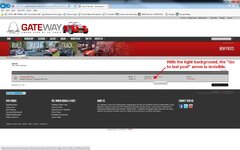
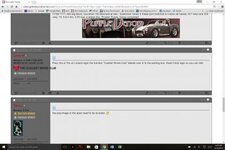
Many have requested we revert to the old lighter theme, finding the dark theme difficult to use or read. Others have said they like the dark theme for reading at night. Trying to appease everyone, we've added a new Light theme and made it the default setting - for new visitors
For existing members and visitors, the Forum remembers your preferences. You may change between light or dark by scrolling down to the bottom left footer bar where you will see a dropdown box that says:
Select your preference and the screen will change to reflect that. When the visit the forum the next time, it will remember your last setting an open in the appropriate color. Switch back and forth as much as you like.
The light theme was derived from the dark one and there may still be some formatting glitches. If you run into an issue or something appears incorrect, let me know
We are now working on the front page section of the forum to provide a better User Interface there. You may notice two different appearances, depending on how you get there, but they will be consolidated shortly.
FYI
Paul
For existing members and visitors, the Forum remembers your preferences. You may change between light or dark by scrolling down to the bottom left footer bar where you will see a dropdown box that says:
- GCC-Dark
- GCC-Light
Select your preference and the screen will change to reflect that. When the visit the forum the next time, it will remember your last setting an open in the appropriate color. Switch back and forth as much as you like.
The light theme was derived from the dark one and there may still be some formatting glitches. If you run into an issue or something appears incorrect, let me know
We are now working on the front page section of the forum to provide a better User Interface there. You may notice two different appearances, depending on how you get there, but they will be consolidated shortly.
FYI
Paul