


- Staff
- #1
Each year, we struggle looking for pictures for the calendar. The biggest issue we see is the picture being submitted is a "snapshot" rather than a calendar quality photo. We can do a lot with PhotoShop but sometimes, it's beyond rework. These are a few tips that will help you . . .
Got an idea but unsure of how to take the shot? - add a picture to this post or send us a link to the photo - maybe we can help or figure out how to do it.
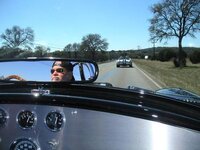
1) Be aware of your surroundings! Generally, no people in the picture. Study the angle you're shooting. Does it look like the pine tree in the background is growing out of your hood? 
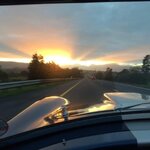
2) Be aware of your lighting. Contrary to popular thought, a bright day is NOT the best time to take a photo. It creates too many stark shadows. You're better off using a cloudy day or shoot your picture right before sunrise or right at sunset. You need a fair amount of light but you don't want any direct light.
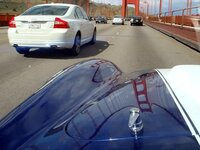
3) Combining the two above, be aware of reflections. I've seen some excellent shots but when you study the picture, you can see the photographer in the reflection - or some other undesirable image.
4) Again, be aware of your background. Does it include a bunch of powerlines, trash bins, other cars? You don't want something distracting from your subject. Is the asphalt area your car is sitting on clean or is it covered with leaves?
5) Camera - yea, your new iPhone10 has a bazillion megapixel camera, but in reality, the lens sucks. Your wifes old digital point & shoot camera will take a better photo. Use IT! Have access to a DSLR (digital single lens reflex), use it. Know a littlebit about photography, try with the aperature a 3.5 and focus on the car - it will blur the background ever so slightly and make a much more attractive picture. This is not to say you can't come up with some exceptional pictures with a phone camera - but the odds are stacked against you. And if you do get lucky, be careful that you download the full image, not a reduced resolution one.
5) have access to a tripod? Use It. Don't have a tripod - try bracing your camera against a pole, post, ladder, something that will slow the shakes.
6) be careful of image resizing. Many email programs will automatically resize the photo to a smaller image to speed up the uploading/downloading. If you're not sure, ask. Typically, the image needs to be 5Mb or larger. If you see the file size is 135K, it's not going to work - it may make a great image on your computer but it won't print worth a damn on a photo or calendar. When a photo is printed at 8x10 size, there are approximately 7.2MegaPixels that make up the image. If you're picture isn't this big, you get a blurred or incorrect image.
2) Be aware of your lighting. Contrary to popular thought, a bright day is NOT the best time to take a photo. It creates too many stark shadows. You're better off using a cloudy day or shoot your picture right before sunrise or right at sunset. You need a fair amount of light but you don't want any direct light.
3) Combining the two above, be aware of reflections. I've seen some excellent shots but when you study the picture, you can see the photographer in the reflection - or some other undesirable image.
4) Again, be aware of your background. Does it include a bunch of powerlines, trash bins, other cars? You don't want something distracting from your subject. Is the asphalt area your car is sitting on clean or is it covered with leaves?
5) Camera - yea, your new iPhone10 has a bazillion megapixel camera, but in reality, the lens sucks. Your wifes old digital point & shoot camera will take a better photo. Use IT! Have access to a DSLR (digital single lens reflex), use it. Know a littlebit about photography, try with the aperature a 3.5 and focus on the car - it will blur the background ever so slightly and make a much more attractive picture. This is not to say you can't come up with some exceptional pictures with a phone camera - but the odds are stacked against you. And if you do get lucky, be careful that you download the full image, not a reduced resolution one.
5) have access to a tripod? Use It. Don't have a tripod - try bracing your camera against a pole, post, ladder, something that will slow the shakes.
6) be careful of image resizing. Many email programs will automatically resize the photo to a smaller image to speed up the uploading/downloading. If you're not sure, ask. Typically, the image needs to be 5Mb or larger. If you see the file size is 135K, it's not going to work - it may make a great image on your computer but it won't print worth a damn on a photo or calendar. When a photo is printed at 8x10 size, there are approximately 7.2MegaPixels that make up the image. If you're picture isn't this big, you get a blurred or incorrect image.
Got an idea but unsure of how to take the shot? - add a picture to this post or send us a link to the photo - maybe we can help or figure out how to do it.







































 it won't even qualify as a phone so you might have to borrow your son's iPhone